


In brief, vibe coding could shape the future of no-code Shopify app development by letting store owners describe a feature in plain words and test an AI-made draft. For Shopify brands, this means an easier way to explore ideas before committing to a full build. No-code tools can handle familiar shopping features, while developers help with custom work and checks before launch.
The starting point is a store problem: shoppers cannot choose a product, find an order, or buy again easily. You explain what should happen, review the draft, and ask for changes. The result still needs testing before customers use it.
If you run a Shopify store, you do not need to become a developer to take part. You need to understand your customers, explain the task clearly, and know when to bring in technical help.
What Is Vibe Coding for a Shopify Store?
Vibe coding means using plain-language instructions to ask AI to write or change code. For a Shopify store, that might mean creating a product finder, a simple account screen, or a tool that helps staff handle a repeated task.
The process starts with a clear request:
- Describe what the feature should do, look at the result, and ask for changes.
- For example, ask for a coffee product finder that recommends products based on a shopper’s brewing method.
- Then ask AI to shorten the questions or change how the recommendations appear.
That process feels more like a conversation than a traditional coding task. Still, someone needs to check whether the result works correctly.
The Difference Between Vibe Coding and a No-Code App Builder
A no-code app builder usually gives you ready-made blocks, settings, and layouts. You choose the parts you need and arrange them. Vibe coding generates code from your instructions, which can allow changes beyond those ready-made options.
Use this comparison to choose a starting point for your Shopify app:
| Approach | Best suited to | How you build | What to check before launch |
| No-code app builder | A shopping app with features the builder already supports | Arrange ready-made screens and adjust settings | Product options, store sync, checkout, supported connections, and publishing support |
| Vibe coding | Exploring a custom feature, such as a product finder | Describe the task to AI, review the generated draft, and ask for changes | Code quality, store access, recommendation rules, error handling, and maintenance needs |
| Custom Shopify development | Features with special business rules or complex store connections | Work with a developer to build and test the agreed feature | Data flow, access controls, reliability, ongoing support, and ownership of the code |
These routes can work together. A brand might use a no-code builder for its shopping app and seek custom help for one feature the builder does not support. An AI-made draft can help explain that feature before development begins.
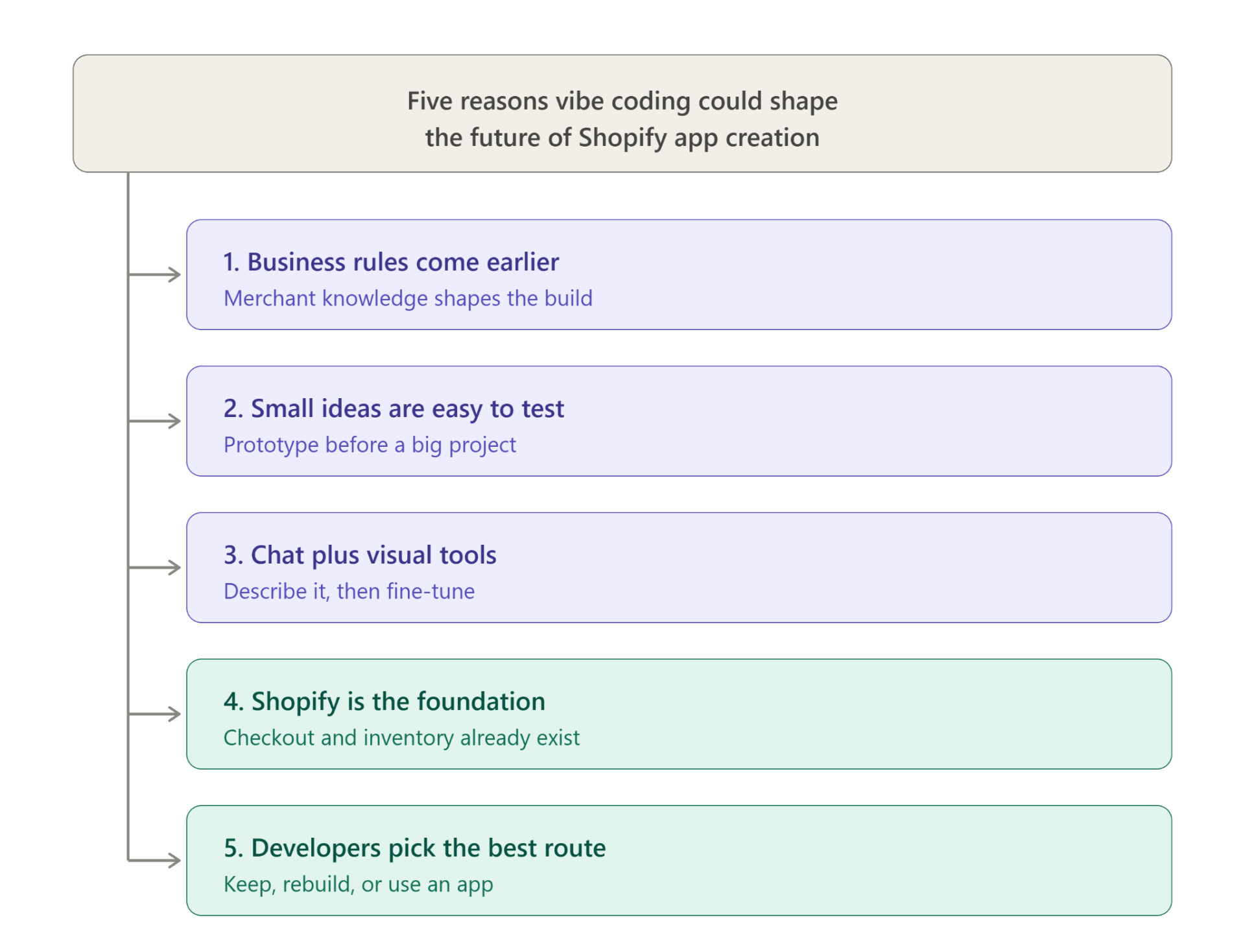
Five reasons vibe coding could shape the future of Shopify app creation
The appeal goes beyond generating a screen quickly. It changes how requirements are expressed, how ideas are checked, and where merchants participate in development.
1. Business knowledge becomes part of the building process earlier
Your team can explain which products work together or why an order needs attention. An AI-assisted prototype makes those rules visible earlier in the project.
For the coffee finder, the merchant might add: “If nothing matches, explain that and show the nearest suitable collection.” That is a business decision, not simply a design preference.
The earlier a rule is discussed, the less likely the team is to discover it after the interface has been approved.
2. Small store problems become easier to explore
Some ideas do not justify a full custom project before their usefulness is established. A focused prototype gives them a lower-commitment first step.
Examples worth exploring include:
- Product selection: Help shoppers narrow a confuswing range using clear questions and explicit recommendation rules.
- Staff reporting: Show the information an operations team needs without burying it among unrelated fields.
- Collection navigation: Test whether customers understand a proposed category structure before rebuilding the browsing experience.
The opportunity is earlier learning. There is no fixed saving that applies to every feature, and building a draft does not settle the cost of deployment or maintenance.
3. Conversation can complement visual no-code tools
Visual editing works well when the desired component already exists. Plain-language requests help when you want to explain how several components should behave together.
A merchant could describe the coffee finder, inspect the draft, and then use visual controls to adjust spacing or reorder questions. That combination is easier to imagine than replacing every control with a chat box.
When assessing a conversational builder, look for:
- A visible preview: Inspect each meaningful change before accepting it into the feature.
- Editable output: Adjust labels, rules, and layout without needing to regenerate the whole experience.
- Version recovery: Return to an earlier working draft when a new instruction produces an unwanted change.
- Clear boundaries: Understand which Shopify connections are supported and which require implementation work.
These are useful evaluation criteria, not features claimed for every current platform.
4. Shopify provides a commerce foundation for new experiences
Shopify’s overview of building with AI describes AI tools for storefronts, store tasks, and development. It separates the experience layer from the Shopify commerce engine underneath.
That separation gives the future argument a practical basis. Teams can explore different interfaces without trying to invent their own checkout, inventory system, or store administration.
The right integration still depends on the feature. A storefront product finder and an admin operations tool require different data access and technical choices.
5. Developers can spend more time evaluating the right solution
A prototype gives a developer more than a sentence such as “we need a smart product finder.” It shows the proposed questions, outputs, and exceptions.
A developer can assess the draft and choose an appropriate route:
- Keep useful generated work after reviewing the implementation and checking whether it can be maintained.
- Rebuild the feature when the draft explains the idea well but its underlying code is unsuitable.
- Recommend an existing app when it already meets the requirement without another custom project.
For features beyond the available tools, custom Shopify app development provides a route to implement the agreed behavior. AI can help clarify the idea without determining the entire technical approach.
Should I Use Vibe Coding to Build My Shopify Mobile App?
Use vibe coding to explore ideas and test custom features. If your main goal is to turn your store into a branded shopping app, first check whether a no-code mobile app builder already covers your needs.
A mobile shopping app is more than a set of attractive screens. Shoppers need to browse products, choose options, add items to their cart, and complete purchases. The app also needs to stay useful as your store changes.
Choosing a No-Code Builder for Standard Shopping Features
Choose a no-code mobile app builder when it supports your shopping features and gives you a visual way to manage the app. Check the actual feature list before choosing one, especially if you rely on subscriptions, loyalty tools, or unusual product options.
For example, WPApp Builder’s Shopify mobile app service offers a route to branded iOS and Android shopping apps. Treat it as a no-code app-building option; do not assume it generates custom code from AI prompts.
Before deciding, check:
- Whether your essential shopping features are supported.
- How product and store changes appear in the app.
- Which tools you can connect to it.
- Who handles testing, publishing, and future updates.
Getting Developer Help for Custom Mobile App Features
You need a Shopify developer when your app must follow rules or connect to systems that your builder cannot handle. That could involve a special pricing process, a connection to another business system, or a customer tool with several steps.
Webplanex’s Shopify development services include app development and integrations. A working draft can help explain what you want, while a developer checks how to make it work with your store.
Turning a Shopify App Idea Into a Useful Feature
Start with one clear task, create a small draft, and test it against real store conditions. Add more features only after the first task works and helps the people who will use it.
Describe the App Feature and Its Expected Result
Avoid starting with “build an app that increases sales.” That does not explain what the app should do. Name the user, the problem, and the expected result instead.
For a coffee store, a useful request could be: “Create a product finder that asks about brewing method and taste. Recommend available products from our catalog. If nothing matches, explain that and offer a way to browse.”
Include these details in your request:
- Who will use the feature.
- Which store information it needs.
- What the user should see at the end.
- What should happen when information is missing.
- Which actions require the user to confirm their choice.
Test the App Draft With Realistic Store Examples
Test more than the easiest path through the feature. Use products with different options, missing details, and unavailable stock. Ask someone unfamiliar with the draft to try it without your help.
Watch where they pause or misunderstand the instructions. Those moments tell you more than a screen that looks polished in a demonstration.
Coffee Product Finder Testing Checklist
The finder works when it recommends a suitable available product and gives a clear response when it cannot find a match. Its recommendations should follow the rules you set for your catalog.
Check that it:
- Matches each brewing method to the right products.
- Shows current product details and prices.
- Handles an empty result without a broken screen.
- Lets shoppers change their answers easily.
- Works comfortably on a phone.
Check the App’s Store Access Before Publishing
A feature should use only the store access needed for its job. A product finder may need product information, while an order tool may need customer or order data. These are different responsibilities.
Ask a developer to review that access before publishing. Shopify’s app authentication and authorization guidance explains how apps get permission to access store information. You do not need to learn every technical detail, but you should know what the app can read or change.
How Webplanex Helps With Shopify App Development
Webplanex can help with the Shopify development work around your idea, including custom apps, integrations, and ongoing support. A useful first step is to explain the customer problem and share any draft you have already made.
Ask the team to review which parts fit existing Shopify tools and which need custom work. That discussion should also cover testing, store access, and who will maintain the feature after launch.
If your idea needs technical support, explore hiring Shopify developers. Give them a focused brief with:
- The task you want customers or staff to complete.
- Examples of the problem in your current store.
- Screens or drafts that show your idea.
- The store tools the feature must work with.
- A clear description of a successful test.
The Future of Shopify App Development for Store Owners
The likely direction is simpler ways to build, paired with technical review where it matters. Store owners can help shape a feature in plain words. No-code tools can cover common needs, and developers can handle custom connections and more demanding work.
That is why vibe coding matters to no-code Shopify app development. It could make the first draft easier to create and the next change easier to explain. Its value comes from helping you solve a specific store problem, then testing whether the solution works.
Choose one task your customers struggle with today. Decide whether a builder already solves it or whether a custom feature is needed. To discuss that choice, contact Webplanex about your Shopify app idea.
FAQs About Vibe Coding and Shopify App Development
Can I Use Vibe Coding Without Knowing How to Code?
Yes. You can describe an idea, review the draft, and ask for changes without writing code yourself. However, vibe coding produces code. Get technical help to check it before using it with your live Shopify store.
Can I Add a Custom Feature to a No-Code Shopify App?
That depends on the builder. Some let you connect other tools or extend certain features; others limit you to their built-in options. Check support for your specific feature before choosing a builder. An AI-made draft does not automatically work inside a no-code app.
How Much Does a Shopify App Built With Vibe Coding Cost?
There is no single price. The cost depends on the tools you use, the features you need, and the work required to test and maintain them. Ask for an estimate that includes store connections, technical review, publishing, and ongoing support—not just the first draft.
Can I Publish an AI-Made Shopify App Draft Straight Away?
A working preview alone is not enough. Check the feature with realistic products and store data, review what it can read or change, and test its error messages. For a mobile shopping app, also confirm who handles app store submission and future updates.