

The New Year shopping season brings new opportunities for online businesses. Customers look for fresh products, special offers, and better shopping experiences. This makes it an important time for Shopify store owners.
However, attracting visitors is not enough. Your online store must also offer a smooth shopping experience. Customers should find products easily and complete purchases without difficulty.
This is where Shopify store optimization becomes important. A well-optimized store can improve website speed, search visibility, and customer experience.
In this blog, we will discuss practical ways to prepare your Shopify store for the New Year shopping season. These tips can help improve store performance and support business growth.
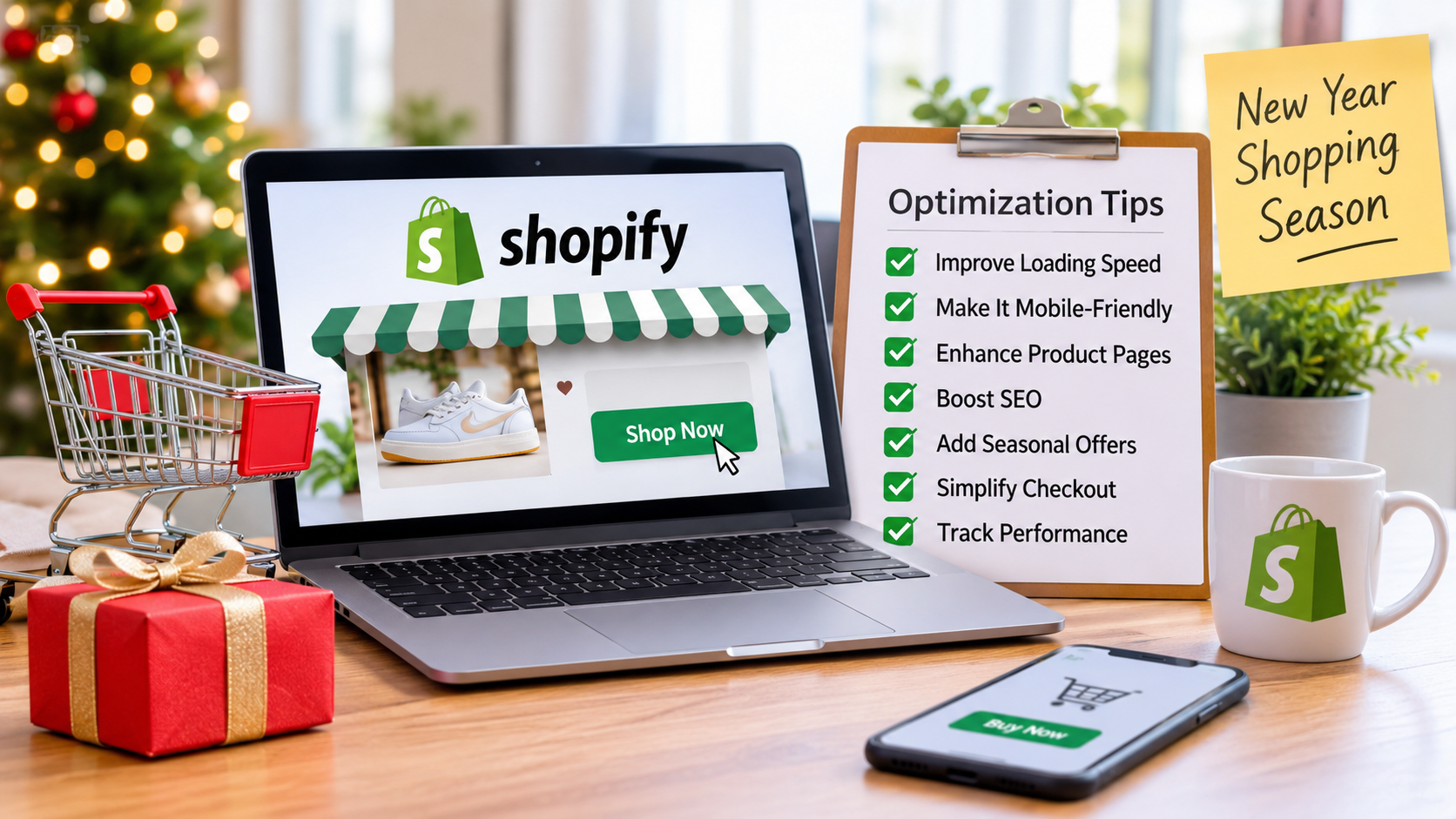
1. Improve Your Shopify Store’s Loading Speed
Website speed plays an important role in online shopping. Customers do not like waiting for slow pages. A slow website may cause visitors to leave before purchasing.
During the New Year shopping season, website traffic may increase. Your store must handle more visitors without performance problems.
Follow these steps to improve loading speed:-
- Compress product images before uploading them.
- Remove unused Shopify apps and plugins.
- Choose a lightweight Shopify theme.
- Reduce unnecessary animations and pop-ups.
- Avoid adding too many third-party scripts.
- Test website speed regularly.
Use Speed Testing Tools
Tools like Google PageSpeed Insights can help identify or detect any speed problems. They also provide suggestions for improving website performance.
For more practical tips, read our guide on Shopify speed optimization techniques. It explains different ways to improve your store’s loading speed.
If technical issues affect your store, consider professional Shopify store speed optimization services. These services can help improve page loading times and overall performance.
2. Make Your Store Mobile-Friendly
Many customers prefer shopping through their smartphones. Therefore, your Shopify store must work well on smaller screens.
Mobile optimization makes browsing easier. It also helps customers complete purchases without confusion.
Important Mobile Optimization Tips
- Use a responsive Shopify theme.
- Keep menus simple and easy to access
- Make buttons large enough to tap.
- Use readable fonts and clear text.
- Display product images properly.
- Keep checkout forms short.
- Make payment options easy to find.
Test Your Store on Different Devices
Check your store on smartphones and tablets. Test product pages, menus, and checkout steps.
If you are learning how to optimize Shopify store for mobile, start by checking the complete shopping journey. Every important action should work properly.
3. Improve Product Pages for Better Conversions
Product pages help customers decide whether to purchase. They should provide clear and useful information.
During seasonal shopping, customers often compare several products. Your product pages should answer their questions quickly.
Focus on these important elements:
| Product Page Element | What You Should Improve |
| Product title | Use clear and relevant names. |
| Product images | Add high-quality product photographs. |
| Product description | Explain features and benefits. |
| Product price | Display prices clearly. |
| Customer reviews | Show genuine customer feedback. |
| Call-to-action | Use clear Add to Cart buttons. |
Write Helpful Product Descriptions
Do not use complex descriptions of products. Just explain how the product works and why consumers need it.
Here are some details that you can include in your product description:
- Size and material of the product
- Colors and designs available
- Features of the product
- Usage instructions for the product
- Shipping and return policies
Clear descriptions help customers make informed decisions.
4. Focus on SEO to Increase Organic Traffic
Search engine optimization helps customers find your store through search engines. It can bring relevant visitors without depending only on paid advertisements.
SEO should be part of your New Year preparation. Start by reviewing your website content and product pages.
Essential Shopify SEO Practices
- Research keywords related to your products.
- Add relevant keywords to page titles.
- Write unique meta descriptions.
- Use descriptive image alt text.
- Create clear website URLs.
- Add internal links between related pages
- Publish useful blog content.
- Fix broken links and missing pages.
When learning how to optimize Shopify store for SEO, focus on helpful content and clear website structure.
Avoid adding keywords where they do not fit. Write content that answers real customer questions.
5. Use Seasonal Offers and Promotional Banners
The New Year shopping season will be an ideal time to introduce promotional elements. Consumers usually search for discount offers and deals on products.
Your Shopify homepage needs to effectively communicate your discount offers.
Some of the promotional elements that you can consider include:
- New Year discount banners
- Limited-time product offers
- Special product bundles
- Free shipping offers
- New product collections
- Customer loyalty discounts
Ensure that every promotional element has specific terms stated. You can highlight the discount period and conditions.
You can also develop landing pages for your holiday campaign.
6. Simplify the Checkout Process
A complex checkout process could reduce your orders. People will leave if they encounter unexpected fees or unnecessary steps.
An easy checkout process helps people buy in confidence.
Here are some tips for you to follow:
- Guest checkout should be allowed whenever it is possible.
- Shipping charges should be made known upfront.
- Payment options that are reliable should be provided.
- Checkout forms should not be complex.
- Return policy should be displayed to customers.
- Order details should be displayed before payment is made.
Remove Unnecessary Checkout Steps
Ask customers for essential information only. Avoid making them complete extra forms.
Test your checkout process regularly. Check it on both mobile and desktop devices.
7. Track Store Performance and Customer Behavior
Store optimization should not stop after making website changes. You must review performance regularly.
Analytics tools can help you understand customer behavior. They show which pages attract visitors and where customers leave.
For better results, follow these Shopify store optimization best practices. They can help improve store performance, mobile shopping, and customer experience.
Key Areas to Monitor
| Performance Metric | Why It Matters |
| Website traffic | Measures store visitors. |
| Conversion rate | Shows completed purchases. |
| Bounce rate | Helps identify engagement problems. |
| Average order value | Measures average purchase value. |
| Cart abandonment | Identifies unfinished purchases. |
Real Statistics That Show Why Optimization Matters
According to Baymard Institute, the average documented online shopping cart abandonment rate is 70.22%. This figure is based on 50 different studies and was last updated in September 2025.
This means many customers leave without completing their purchases.
Source: Baymard Institute – Cart Abandonment Statistics.
This statistic highlights the importance of better product pages and checkout experiences. Shopify store owners should regularly review these areas.
8. Work With Shopify Optimization Experts
Some shop enhancements necessitate technical knowledge and development expertise. Professional support enables companies to cope with complex optimization problems.
Webplanex offers Shopify development and optimization solutions for online businesses.
Working with experienced professionals can help with:
- Shopify website development
- Theme customization
- Website speed improvements
- Technical SEO
- Mobile responsiveness
- Conversion rate optimization
Professional support can also help identify problems. It allows store owners to focus on business operations.
Choose services based on your store’s actual needs. Review previous work and technical experience before selecting an agency.
End Note
New Year shopping season presents an opportunity for Shopify enterprises. However, success requires more than attractive offers and products.
Your store must be fast and perform well on mobile devices. Product pages should offer useful information. Checking out should be easy and secure.
Consistent Shopify store optimization can improve the shopping experience. It can also support better search visibility and sales performance.
Start by reviewing your store’s current performance. Identify problems and make improvements step by step.
Webplanex can help businesses improve their Shopify stores through professional development and optimization solutions. A well-prepared store can provide a better experience throughout the New Year shopping season.
Make Every New Year Shopping Opportunity Count with Shopify!
Give your Shopify store the speed, visibility, and shopping experience customers expect. Partner with Webplanex to improve performance, attract more visitors, and turn shoppers into loyal customers.
Optimize Your Shopify Store with Webplanex Today!
FAQ
When should I start Shopify store optimization for the New Year shopping season?
Start at least four to six weeks before the season. This gives you enough time to improve speed, update product pages, test checkout and fix SEO issues before traffic increases.
What is the most important Shopify store optimization task?
Improving store speed and mobile usability is the most important task. Many shoppers use phones, and slow pages can cause them to leave before making a purchase.
How can I improve my Shopify store for mobile shoppers?
Use a responsive theme, large buttons, readable text, clear product images and a simple checkout process. Also test every important page on a real mobile device.
Do I need Shopify store optimization services?
You may not need them for a small store with few technical issues. However, Shopify store optimization services can help if your store is slow, has many apps, receives high traffic, or needs custom improvements.
How do I know if my optimization efforts are working?
Check Shopify analytics for changes in conversion rate, page speed, cart abandonment, mobile sales, and average order value. Improved numbers usually show that your store experience is getting better.